
Slack Integration: Build a Team Standup Bot Without Writing Code
Slack Integration: Build a Team Standup Bot Without Writing Code

Daily standups are the heartbeat of agile teams, but coordinating them can be challenging—especially with distributed teams across time zones. What if you could build a custom Slack standup bot that perfectly fits your team's workflow, without writing a single line of code? With Cocoding AI's Slack integration, you can.
The Remote Work Communication Challenge
Since 2020, remote and hybrid work has become the norm for millions of teams worldwide. While tools like Slack have revolutionized workplace communication, they've also introduced new challenges:
- Asynchronous standups are hard to manage manually
- Important announcements get buried in channel noise
- Team visibility suffers without structured updates
- Meeting fatigue makes synchronous standups impractical
Cocoding AI solves these problems by enabling anyone to build powerful Slack-integrated applications.
What Can You Build with Slack Integration?
Cocoding AI's Slack integration uses incoming webhooks to enable seamless communication between your applications and Slack channels. Here's what you can create:
Standup Bot Features
- Daily standup submissions - Team members report what they did yesterday, today's plans, and any blockers
- Automated posting - Submissions automatically appear in designated Slack channels
- Structured format - Consistent, readable updates every time
- Historical tracking - All standups saved to a PostgreSQL database
Team Announcement System
- Broadcast important updates to entire channels
- Schedule announcements for optimal timing
- Track engagement with read receipts and reactions
- Multi-channel support for different audiences
Technical Architecture
Cocoding AI generates a complete, production-ready application stack:
Application Stack:
├── Frontend (React + Tailwind CSS)
│   ├── Standup submission form
│   ├── Announcement composer
│   └── History dashboard
├── Backend (NestJS)
│   ├── REST API endpoints
│   ├── Slack webhook integration
│   └── Scheduled job handlers
└── Database (PostgreSQL + TypeORM)
    ├── User records
    ├── Standup history
    └── Announcement logs
Step-by-Step Setup Guide
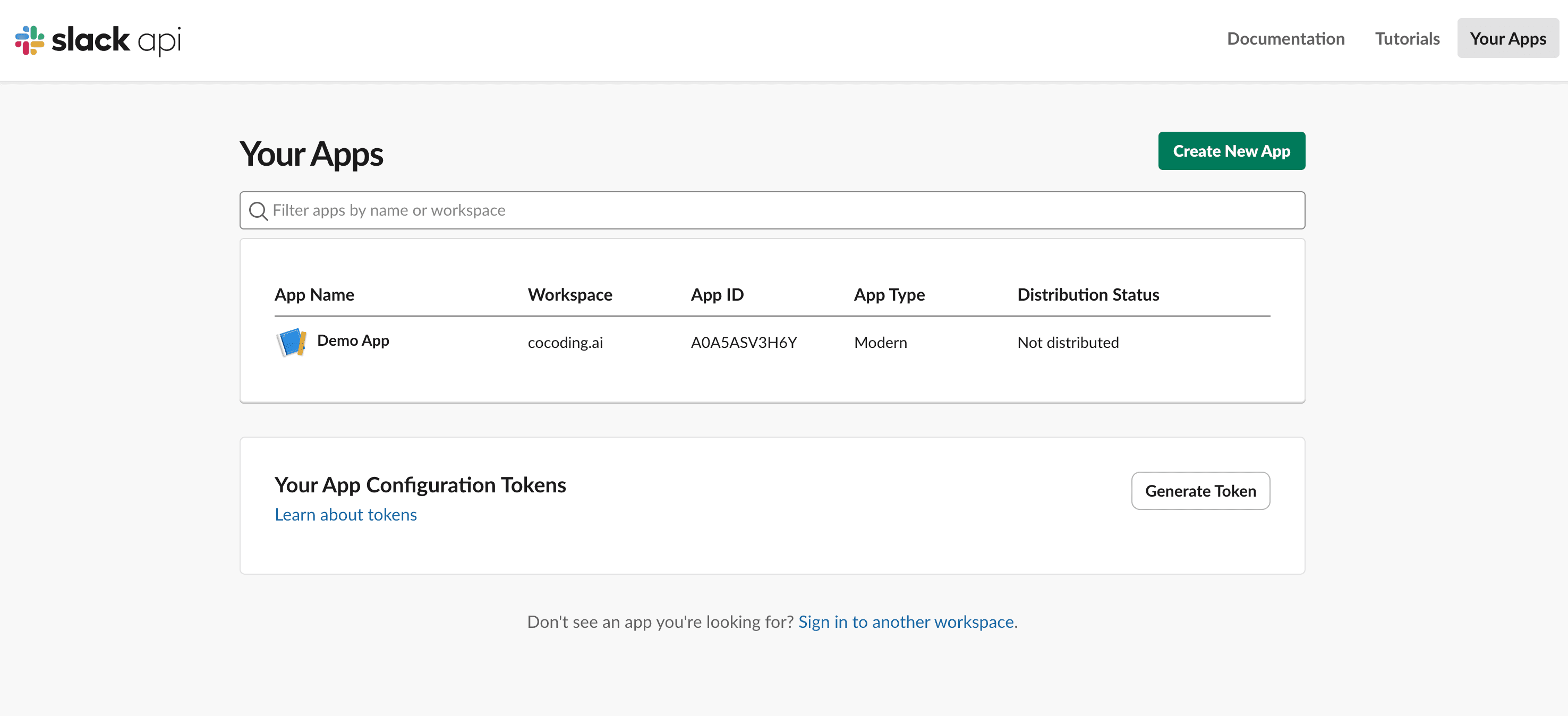
Step 1: Create Your Slack App
- Visit api.slack.com/apps
- Click "Create New App"
- Choose "From scratch"
- Name your app (e.g., "Team Standup Bot")
- Select your workspace

Step 2: Enable Incoming Webhooks
- Navigate to "Incoming Webhooks" in the sidebar
- Toggle "Activate Incoming Webhooks" to On
- Click "Add New Webhook to Workspace"
- Select your target channel (e.g., #standups)
- Click "Allow"
Step 3: Copy Your Webhook URL
After authorization, you'll receive a webhook URL like:
https://hooks.slack.com/services/T00000000/B00000000/XXXXXXXXXXXXXXXXXXXXXXXX
Important: Keep this URL secret! Anyone with this URL can post to your channel.
Step 4: Build Your Application with Cocoding AI
Describe what you want to build:
Build a team standup application with:
- React frontend with Tailwind CSS
- NestJS backend with PostgreSQL
- Daily standup form (yesterday, today, blockers)
- Team announcements feature
- Slack webhook integration for posting updates
- User authentication with JWT
Cocoding AI generates the complete application in minutes.
Step 5: Configure Environment Variables
Add your webhook URL to the backend configuration:
# backend/.env
SLACK_WEBHOOK_URL=https://hooks.slack.com/services/T00000000/B00000000/XXXX
DATABASE_URL=postgresql://user:password@localhost:5432/standup
JWT_SECRET=your-secure-secret-key

Step 6: Test Your Integration
- Start your application servers
- Submit a test standup
- Check your Slack channel
- Verify the message appeared correctly
Building a Complete Standup Workflow
The Standup Submission Form
Your application includes a clean, intuitive form:
┌─────────────────────────────────────────┐
│         Daily Standup                   │
├─────────────────────────────────────────┤
│ What did you accomplish yesterday?      │
│ ┌─────────────────────────────────────┐ │
│ │                                     │ │
│ └─────────────────────────────────────┘ │
│                                         │
│ What will you work on today?            │
│ ┌─────────────────────────────────────┐ │
│ │                                     │ │
│ └─────────────────────────────────────┘ │
│                                         │
│ Any blockers?                           │
│ ┌─────────────────────────────────────┐ │
│ │                                     │ │
│ └─────────────────────────────────────┘ │
│                                         │
│         [ Submit Standup ]              │
└─────────────────────────────────────────┘
Slack Message Format
Standups appear in Slack with clear formatting:
📊 Daily Standup - Sarah Chen
───────────────────────────

✅ Yesterday:
• Completed user authentication module
• Fixed bug in payment processing
• Reviewed 3 pull requests

📋 Today:
• Start dashboard redesign
• Meet with design team at 2pm
• Write unit tests for auth module

🚧 Blockers:
• Waiting for API documentation from backend team
Announcement Broadcasts
Team announcements are prominently displayed:
📢 Team Announcement
───────────────────────────

🎉 We hit our Q2 targets!

Thanks to everyone's hard work, we've exceeded our quarterly goals by 15%.
Celebrate with a virtual happy hour this Friday at 4pm!

Posted by: Michael Torres
Advanced Features to Request
Cocoding AI can extend your standup bot with additional capabilities:
User Authentication
Add JWT-based authentication so each team member has their own account
and can only edit their own standups.
Weekly Summaries
Generate automatic weekly summary reports every Friday that compile
all standups from the week into a single digest.
Standup Reminders
Send automatic Slack reminders at 9am to team members who haven't
submitted their standup yet.
File Attachments
Allow users to attach screenshots or files to their announcements
with cloud storage integration.
Analytics Dashboard
Create a dashboard showing standup completion rates, common blockers,
and team productivity trends over time.
Security Best Practices
Protecting Your Webhook URL
Your webhook URL is essentially a password. Follow these guidelines:
- Never commit to version control - Add
.envto.gitignore - Don't share publicly - Treat it like a password
- Rotate if compromised - Regenerate in Slack app settings
- Use environment variables - Never hardcode in source files
Application Security
Cocoding AI implements security best practices:
- JWT authentication for user sessions
- Input validation to prevent injection attacks
- CORS configuration for API protection
- Rate limiting to prevent abuse
- Secure password hashing with bcrypt
Real-World Use Cases
Use Case 1: Distributed Engineering Team
Challenge: 20 engineers across 5 time zones can't do synchronous standups.
Solution:
- Async standup submissions throughout the day
- Automatic posting to #engineering-standup
- Timezone-aware reminder notifications
Results:
- 100% standup completion rate (up from 60%)
- 30 minutes saved per team member daily
- Better visibility into team progress
Use Case 2: Client Services Agency
Challenge: Multiple client teams need separate standup tracking.
Solution:
- Channel-specific webhook configurations
- Client-tagged standups for filtering
- Weekly client reports generated automatically
Results:
- Improved client communication
- Easier resource allocation
- Historical record for billing disputes
Use Case 3: Startup Product Team
Challenge: Small team needs lightweight standup without extra meetings.
Solution:
- Simple form accessible from anywhere
- Mobile-friendly interface
- Quick submission (under 2 minutes)
Results:
- Eliminated daily standup meetings
- Gained back 2.5 hours per week per person
- Maintained team alignment
Comparing Slack Standup Solutions
| Feature | Cocoding AI | Geekbot | Standup Alice | DIY Solution |
|---|---|---|---|---|
| Custom UI | Full control | Limited | Limited | Full control |
| Setup time | 5 minutes | 10 minutes | 15 minutes | Days/weeks |
| Monthly cost | Included | $3/user | $2.50/user | Hosting only |
| Database storage | Yes | No | Limited | Yes |
| Customization | Unlimited | Templates | Templates | Unlimited |
| Code ownership | Yes | No | No | Yes |
Extending Beyond Standups
Your Slack-integrated application can grow with your team:
Microsoft Teams Alternative
Add Microsoft Teams webhook integration alongside Slack for
organizations using both platforms.
Email Notifications
Send email digests for team members who prefer email
over Slack notifications.
CSV Export
Add export functionality to download standup history
as CSV for reporting and analysis.
Slack Commands
Implement Slack slash commands so team members can
submit standups directly from Slack with /standup.
Getting Started Today
Ready to build your team's perfect standup solution?
- Sign up at cocoding.ai
- Describe your ideal standup workflow
- Generate your complete application
- Configure your Slack webhook
- Deploy and start improving team communication
Conclusion
The days of manually managing team standups or paying per-user for limited SaaS tools are over. With Cocoding AI's Slack integration, you can build a custom standup solution that perfectly fits your team's needs—all without writing code.
Whether you're a 5-person startup or a 500-person enterprise, automated standups via Slack improve visibility, save time, and keep everyone aligned. The best part? You own the code, control the data, and can customize everything.
Stop settling for generic tools. Build exactly what your team needs.
Questions about Slack integration? Our support team is ready to help you build the perfect solution for your team.